 |
| From Picture of the Day 2013 |
Another day and another Skylander, Today we have Lightcore ShroomBoom. The little guy showed up in Jacob’s Easter Basket. I’m not sure what’s so special about Lightcore Skylanders, but Jacob sure seems to like him.
My WordPress Blog
|
| From Picture of the Day 2013 |
Another day and another Skylander, Today we have Lightcore ShroomBoom. The little guy showed up in Jacob’s Easter Basket. I’m not sure what’s so special about Lightcore Skylanders, but Jacob sure seems to like him.
 |
| From Picture of the Day 2013 |
Tonight a Skylander Giant makes an appearance as my picture of the day. For tonights Skylander I’ve chosen Tree Rex.
 |
| From Picture of the Day 2013 |
Another day another Skylander, I hope to get back to real pictures in the coming days. I’m hoping to not need to post a Skylander again till March, but you’ll have to stay tuned to see if I can make it.
 |
| From Picture of the Day 2013 |
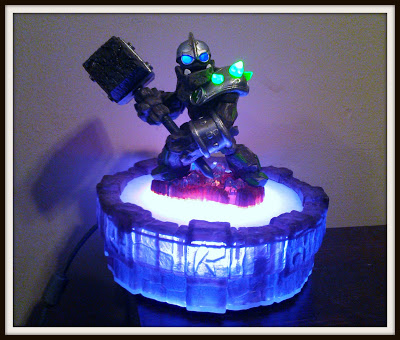
Another evening without a picture, so out comes the Skylanders. Today it’s Crusher. I thought about reading the characters bio and including some of it in my post, but that would just be crazy.

I had intended to continue talking about the new look and feel of windows 8, but after Monday’s post on the Mobile Post on the City TV app. I thought I’d share the Windows 8 Rogers anyplace tv Metro app. You log in with your Rogers anyplace tv Account, which is tied to your Rogers Cable account and it gives you access to Movies and TV shows. The selection seems to be a subset of the shows available on the Rogers digital box. What I like about it is that you have access to lots of different shows in one place, even if it doesn’t include all the shows that I watch. Sure if we subscribed to the Movie Networks and HBO Canada I’d have a better selection, but as with the City TV app seems a good way to keep up with at least some of your favourite your favourite shows.
The question I have asked myself is do you need the app. Rogers already has a web site that gives access to all the content, perhaps it’s not as pretty, but you aren’t restricted to running as a full screen Metro App. Perhaps if I was using a windows tablet it would make more sense to use the app then the website.

The application is free to download. For only $5/month, customers can enjoy 5 hours of viewing on their handset (overage fee is $1/hour/month) – any time, any place. This fee is prompted when selecting an eligible title or you can subscribe upfront within the “My Services” section of the application. To unsubscribe, go to “Settings>Account” and click the “Unsubscribe” button. Continue reading “Mobile Monday: City TV app”

Last week for my Mobile Monday post I shared a Collage app for Android today I thought I’d share an online Collage application. Of course PicMonkey is a lot more than a Collage maker. It’s a full online photo editor, something I’ve been looking for since Google shutdown picnic in the spring. I have used Pic Monkey before, but it’s lake of integration with any of my online storage services has kept it from becoming a regular part of my work flow. It’s still a very powerful application with one of the best Collage options I’ve ever worked with. I do want to do a full review of PicMonkey, but I haven’t had time to really look into all the features, and I want to do that before I review the.
Programming is something that I’ve done since I was 6 years old. I do it at my job and and do it at home. Or at least I used to do it at home. Recently I’ve been having trouble turning a vision I have for an application into reality. I’ve been working on a personal task manager for the last 3 months, and beyond a very basic interface I haven’t been able to find the Time or the Drive to turn my idea’s into an application. I sit down in front of the computer with the intent to do some coding, but I just never seem to get to the actual coding. I find I will spend time working on my development environment, or working on how my source control is setup. One evening I even spent time coming up with a logo, but I just don’t seem to be coding.
My work coding hasn’t really been effected, most of our projects are past the development stage and mostly clean up and bug fixes, so my coding block hasn’t effected my work. Perhaps if I spent less time worrying about my blogging and more time thinking about my code I could work through it quicker. As much as I would like to do more coding I realize that it’s not worth giving up on my daily double of posts. Of course that’s only planned for another weeks, so maybe once November is done I ‘ll have a opertunity to do some more coding. Till then I should be happy that I’m finding a way to write everyday, and leaving the coding to another day.
